

Imagine the world of entertainment at your fingertips with Xtream IPTV. You can access over 33,000 live TV channels, 40,000 movies, and 140,000 TV series. High-performance servers support HD, Full HD, and 4K viewing.
Setup is simple, with instant activation and no contracts. Xtream IPTV works with Smart TV, Android, iOS, Firestick, MAG, and PC devices. Still, check these claims against your household devices, viewing habits, and budget.
This case study examines the provider’s content library, streaming quality, device support, and pricing. As you read, consider whether the service matches your viewing priorities. Are you ready to improve your entertainment experience?
Key Takeaways
- Access to over 33,000 live channels, 40,000 movies, and 140,000 TV series.
- High-definition viewing options, including 4K.
- Easy setup with instant activation and no contracts.
- Compatible with various devices like Smart TVs and PCs.
- Examine the service against your household’s viewing habits and budget.
Xtream IPTV at a Glance: The Service Promise
Xtream IPTV is a flexible streaming service for viewers in the United States, the United Kingdom, and international markets. It offers a wide range of entertainment for different tastes. Sports fans, movie lovers, and TV binge-watchers can all find something to watch.
Who the service is designed for
Xtream IPTV is designed for people seeking an alternative to traditional cable TV. Viewers in the US, the UK, and other regions can explore its broad entertainment choices. Its library includes live sports, movies, TV series, news, and international programming.
What the provider advertises
Xtream IPTV advertises more than 33,000 live channels, 40,000 movies, and 140,000 TV series. This large catalog may offer something for many preferences. However, availability can vary by region, and the numbers do not guarantee uninterrupted streaming.
How to interpret claims about HD, Full HD, 4K, stable servers, and buffering
Xtream IPTV uses terms such as HD, Full HD, and 4K to describe possible stream quality. Your device, display resolution, and available bandwidth can affect the actual viewing experience.
The service also promotes ultra-stable servers and smooth streaming with no buffering. Test these claims during real-world use, especially at peak viewing times. Performance can change, so assess it during a trial period.

Xtream IPTV aims to provide a complete viewing experience. Understanding its offerings can help you decide whether it meets your entertainment needs. For more details on subscription options, visit this link.
Case Study Scope, Viewer Needs, and Evaluation Criteria
When considering Xtream IPTV, first define your viewing needs. Do you want to replace traditional TV or add to your current setup? Knowing your needs helps you judge whether this service fits your lifestyle.
This case study reviews several key parts of Xtream IPTV. Check its content range, device support, setup process, streaming quality, and pricing. These factors shape your experience and satisfaction with the service.
Separate advertised features from results you can test during a trial or subscription. Test claims about channels, video quality, and customer support yourself. Marketing materials may not match the actual user experience.
Viewers in the United States should focus on certain evaluation points. Reliable streaming matters most during busy viewing times. Also review navigation, customer support, and the value you receive for the price.
Also note the instant activation and no contracts features promoted by Xtream IPTV. These features may seem useful, but verify them during the onboarding process. Confirm that setup is simple and streaming can begin quickly.
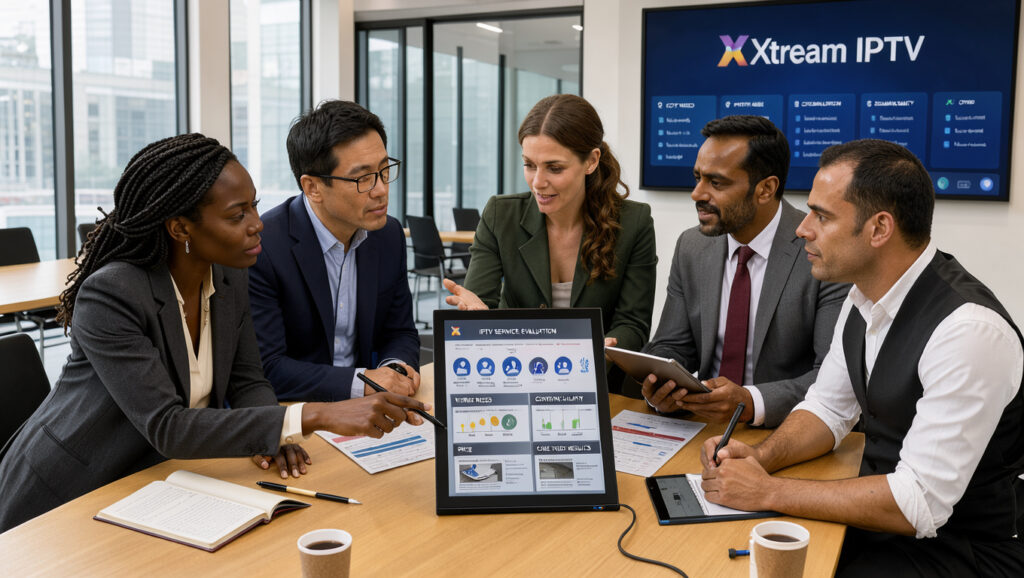
In summary, use a clear plan when reviewing Xtream IPTV. Check the catalog depth, important channels, and customer support. These factors show whether Xtream IPTV meets your entertainment needs. For more service details, read this article on best features of Xtream IPTV.
Xtream IPTV Content Library and Everyday Viewing Options
When you explore Xtream IPTV, its content library matters. It claims over 33,000 live channels, 40,000 movies, and 140,000 TV series. Check which options fit your needs.
Assessing the advertised catalog of live TV, movies, and series
Rather than focusing on impressive numbers, consider your viewing preferences. Create a checklist of must-have channels, including:
- US networks
- Local or regional news
- Sports leagues
- Movie genres
- Children’s programming
- International channels
This approach helps you choose a service that meets your entertainment needs.
Live sports, news, entertainment, and international programming: what to check before subscribing
Before subscribing, verify the availability of live sports, news, and entertainment channels. Check these details:
- Whether priority channels are active and correctly labeled.
- If they are available in the required resolution.
- Support for on-demand versions when applicable.
These factors can significantly impact your viewing experience.
Using search, categories, and an electronic program guide to find content
Use search tools and categories to navigate Xtream IPTV’s large catalog. An electronic program guide (EPG) integration, or epg integration, provides:
- Schedules for live programming
- Program descriptions
- A structured browsing experience
However, EPG accuracy and coverage may vary.
Checking channel availability, video quality, and on-demand titles that matter to you
Finally, assess video stream quality. Make sure valued channels are available and meet your expected quality. On-demand titles should match your interests for enjoyable viewing.
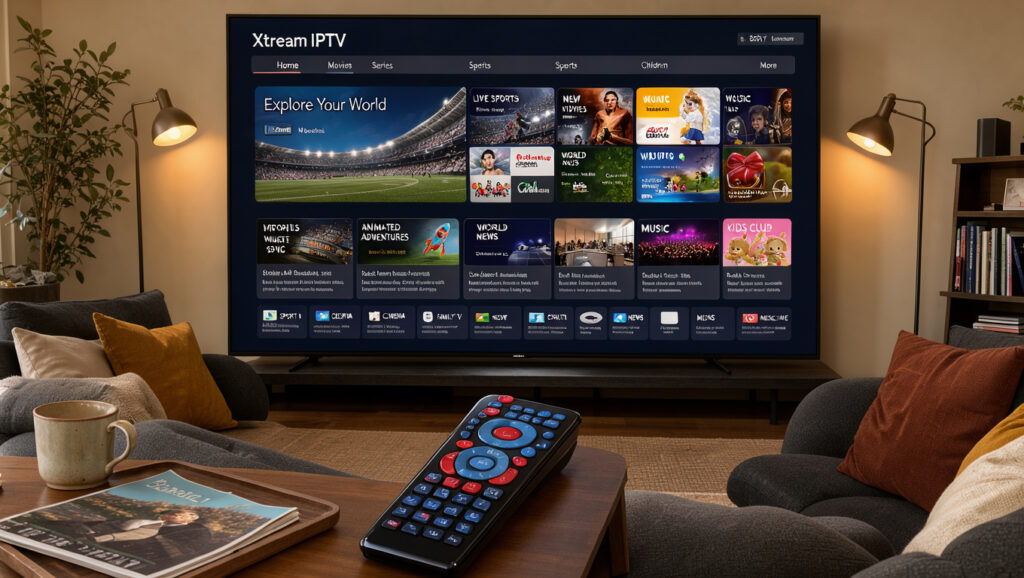
“A thorough assessment of Xtream IPTV’s content library can help you determine if it aligns with your favorite shows and channels.”
By checking these details, you can decide if Xtream IPTV fits your entertainment needs. For more setup help, visit this setup guide.
Streaming Quality, Server Performance, and Buffering Expectations
Your favorite shows and live sports need clear, steady streaming. High-performance servers handle heavy data loads, which can reduce interruptions and improve stability. Still, strong servers cannot fix every problem caused by local network conditions.
How high-performance servers can affect stream stability and playback
High-performance servers support steady data flow, helping streams stay stable during key moments, such as a game’s final minutes. A weak internet connection or overloaded home network can still cause problems. Make sure your home setup supports the high-quality streaming Xtream IPTV promises.
HD, Full HD, and 4K: matching picture quality to your screen and internet connection
Xtream IPTV offers HD, Full HD, and 4K content, and each resolution needs different bandwidth and processing power. HD may need about 5 Mbps, while 4K can need 25 Mbps or more. Match picture quality with your screen, device, and internet plan for smooth playback.
Common causes of connection buffering, including Wi-Fi, bandwidth, and device limits
Connection buffering can result from several common problems:
- Weak Wi-Fi signals
- Insufficient bandwidth for high-quality streams
- Overloaded devices or networks
Understanding these causes can help you improve streaming quality. Try a wired connection for better stability, especially during busy hours.
A practical way to evaluate peak-time performance without treating “no buffering” as a guarantee
Test your streaming service during peak viewing times to judge its real performance. Try different channels and on-demand titles during the evening, when internet traffic is highest. This test shows normal performance, while “no buffering” may describe only an ideal situation.
Steps to troubleshoot playback issues and distinguish local network problems from service issues
If playback problems occur, use these troubleshooting steps:
- Restart your streaming device and router.
- Close any competing applications that may be using bandwidth.
- Check for device updates to ensure optimal performance.
- Test another network to see if the issue persists.
- Contact support if problems continue across multiple devices.
These steps can show whether the problem comes from your local network or the streaming service. Problems across multiple devices and networks may signal a service issue, while isolated problems are often local.
Xtream IPTV offers many channels and types of content, but your experience depends on server performance and your home network. Understanding connection buffering causes can help you prepare for smoother viewing.
For more information on comparing IPTV subscriptions and exploring Xtream IPTV features, visit this link.
Watch Xtream IPTV on Any Device: Compatibility and Setup
Xtream IPTV works on many devices for flexible viewing. Its streaming device compatibility includes Smart TVs, Android, iOS, Firestick, MAG, and PCs. Features and performance may vary by model and software version.
Before setup, prepare your device and confirm a stable internet connection. Check your account details and subscription status to prevent interruptions. Being ready makes installation smoother.
Supported device categories
- Smart TV
- Android devices
- iOS devices
- Firestick
- MAG devices
- PC
Preparing your device, internet connection, and account details before setup
Confirm your subscription and receive the required account details. Make sure your internet connection is stable because it affects streaming quality. After preparing your device, begin the installation.
Typical setup flow
The usual setup includes installing or opening a compatible player, entering your credentials, and loading channels. Follow these steps for an easier setup:
- Install the compatible player on your device.
- Open the player and enter your Xtream IPTV credentials.
- Load the channel list or on-demand catalog to start watching.
How an M3U playlist and IPTV middleware may fit into the viewing experience
An M3U playlist organizes channel and media URLs for your player, providing easy access to favorite content. IPTV middleware adds a simple interface, account authentication, and guide data.

Check app compatibility, activation steps, and support instructions before making a purchase
Before buying, check the app’s compatibility with your device. Review the activation steps and support instructions to prevent setup problems. Use provider-approved apps and protect your credentials to keep your account secure.
| Device Type | Compatibility | Setup Complexity |
|---|---|---|
| Smart TV | High | Moderate |
| Android | High | Easy |
| iOS | High | Easy |
| Firestick | Medium | Moderate |
| MAG | Medium | Moderate |
| PC | High | Easy |
These steps can help you enjoy Xtream IPTV across your preferred devices. For more help, read the FAQ section.
Subscription Plans, Connection Counts, and Overall Value
Xtream IPTV offers subscription plans for different households and viewing habits. This guide compares prices, connection counts, and overall value.
One connection: compare the monthly plan with longer-term options
Xtream IPTV offers several flexible plans for one connection.
| Duration | Price | Bonus Months |
|---|---|---|
| 1 month | $15 | N/A |
| 3 months | $34 | 1 month free |
| 6 months | $44 | 2 months free |
| 12 months | $69 | 3 months free |
Two connections: compare pricing for households or viewers using two devices
These plans suit households or viewers who need two connections.
| Duration | Price | Bonus Months |
|---|---|---|
| 1 month | $20 | N/A |
| 3 months | $46 | 1 month free |
| 6 months | $74 | 2 months free |
| 12 months | $115 | 3 months free |
Three connections: weigh simultaneous viewing needs against subscription cost
Choose from these plans if you need three connections.
| Duration | Price | Bonus Months |
|---|---|---|
| 1 month | $34 | N/A |
| 3 months | $69 | 1 month free |
| 6 months | $99 | 2 months free |
| 12 months | $145 | 3 months free |
Four connections: assess the advertised option for larger households
These plans serve larger households that need four connections.
| Duration | Price | Bonus Months |
|---|---|---|
| 1 month | $40 | N/A |
| 3 months | $89 | 1 month free |
| 6 months | $120 | 2 months free |
| 12 months | $170 | 3 months free |
Compare total cost, included bonus months, renewal terms, and the number of simultaneous streams
Compare the total cost and bonus months to find your effective monthly rate. Longer plans often provide better value but require more money upfront. The one-month plan lets you test the service before choosing a longer term.
Subscription management helps you track activation dates, expiration dates, and renewal terms. Confirm whether “connections” means simultaneous streams or registered devices. Before choosing, review your household’s viewing needs, refund conditions, and overall service performance.
For more information about Xtream IPTV and its offerings, visit this link or check out this resource.
Account Management, EPG Integration, and Service Technology
Managing your IPTV subscription can improve your service experience. Good account management gives you access to every feature and benefit your service offers. It covers activation, renewals, and connection limits.
Subscription management
When you subscribe, review activation, plan duration, and renewal policies. Most providers clearly explain your plan length and connection limits. This information helps you manage your viewing experience.
EPG integration
Electronic Program Guides (EPGs) turn long channel lists into schedules you can browse. They help you find something to watch quickly. Program data may be incomplete or delayed, which can affect browsing.
IPTV middleware and playlist handling
Good iptv middleware shapes how you use your service. It organizes categories, channel lists, and guide information. During setup, you may find settings for favorites and playback options.
API authentication and account security
API authentication helps protect your account. Use provider-approved credentials and applications to reduce security risks. Avoid unofficial tools that request extra personal information, and never share usernames, passwords, or playlist URLs publicly.
Questions to resolve with the provider
Ask your provider about service continuity, privacy practices, and customer support channels. Learn how to recover your account and reset connections. Also ask what happens if a channel becomes unavailable.
| Feature | Description | Importance |
|---|---|---|
| Activation | Process to start your subscription | Essential for access |
| Plan Duration | Length of your subscription | Critical for renewal |
| Connection Limits | Number of devices allowed | Important for multi-user households |
| EPG | Program listings for easier browsing | Enhances user experience |
| API Security | Protects account information | Vital for privacy |
Content Licensing, Buyer Checks, and Who May Benefit
Before subscribing to any IPTV service, learn why content licensing matters. Check whether the provider may legally distribute channels, movies, and series in your location. This matters especially for programming from the US, UK, or international sources.
Also review service terms, refund policies, payment security, and customer support availability. These checks can support a smooth experience and protect your investment. Problems with content licensing or terms may cause unexpected service interruptions.
Who might benefit from Xtream IPTV? Viewers seeking broad international content, multi-device access, and flexible plan lengths may find it appealing. Its ability to work on various devices without long-term contracts offers significant advantages for people with changing viewing habits.
Viewers who prioritize clearly documented rights, guaranteed regional channels, or established customer service may prefer conventional options. Accessibility features, parental controls, and dependable billing protections may also make cable, satellite, antenna, or licensed streaming subscriptions better choices. Understanding these differences can help you make an informed choice.
Conclusion
Xtream IPTV offers over 33,000 live channels, 40,000 movies, and 140,000 TV series. Its large catalog supports HD, Full HD, and 4K streaming for a viewing experience that fits your preferences.
Device compatibility is another strong point. You can access it on Smart TVs, Android, iOS, Firestick, MAG devices, or PCs. Instant activation and simple setup make the service convenient for many viewers.
Although Xtream IPTV advertises no-contract plans, check its cancellation, renewal, and refund policies. Pricing varies by connections, with plans offering one to four simultaneous streams. This flexibility helps you choose a plan for your household.
Before committing, verify performance, content availability, and customer support. Ensure it fits your viewing habits and legal requirements; visit Xtream IPTV Plans for more insights. These checks can help you make an informed decision and enjoy seamless entertainment.






